Present the program
Show the name, description, dates, times, location, price, registration window, discounts, and what participants need to know.

PROGRAM REGISTRATION
Build the season behind the scenes. Give families a polished place to browse, choose, and register.
For camps, classes, schools, sports, and community programs.
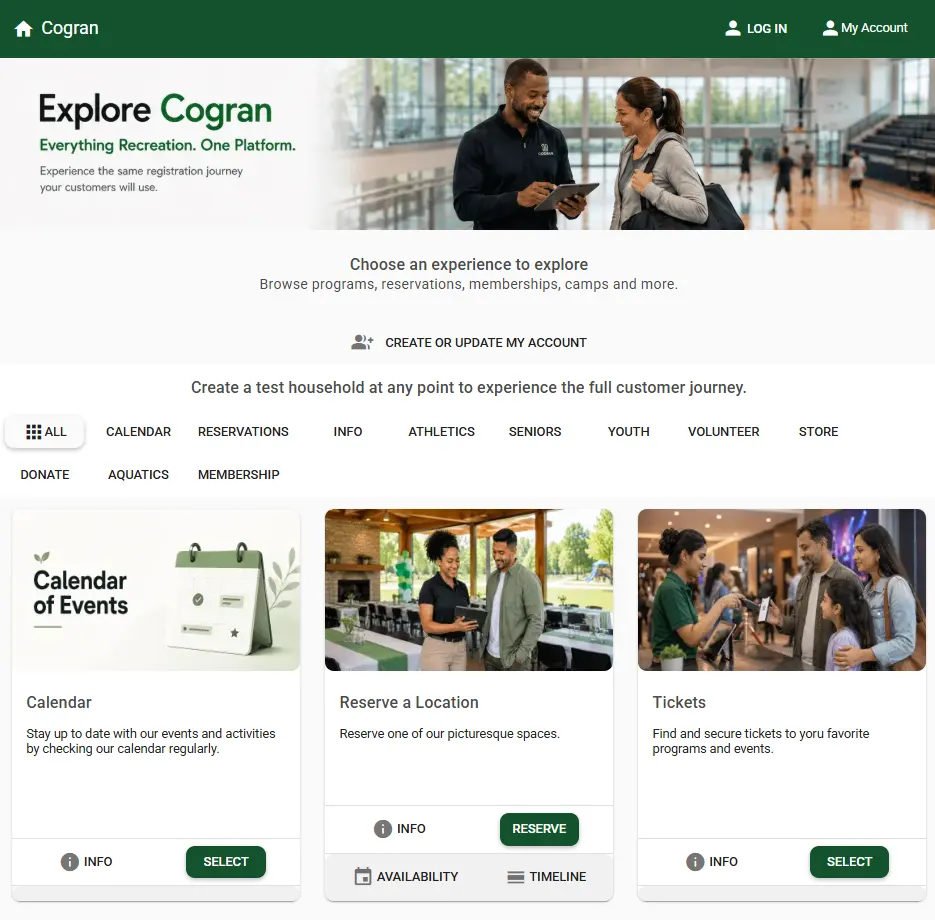
FROM DISCOVERY TO DONE
Cogran connects the customer-facing shopping experience with the detailed controls your team needs behind it.
Show the name, description, dates, times, location, price, registration window, discounts, and what participants need to know.
Use age, grade, gender, membership, residency, or other applicable eligibility rules to help customers choose correctly.
Collect participant details, forms, waivers, payment, and household information in one connected flow.
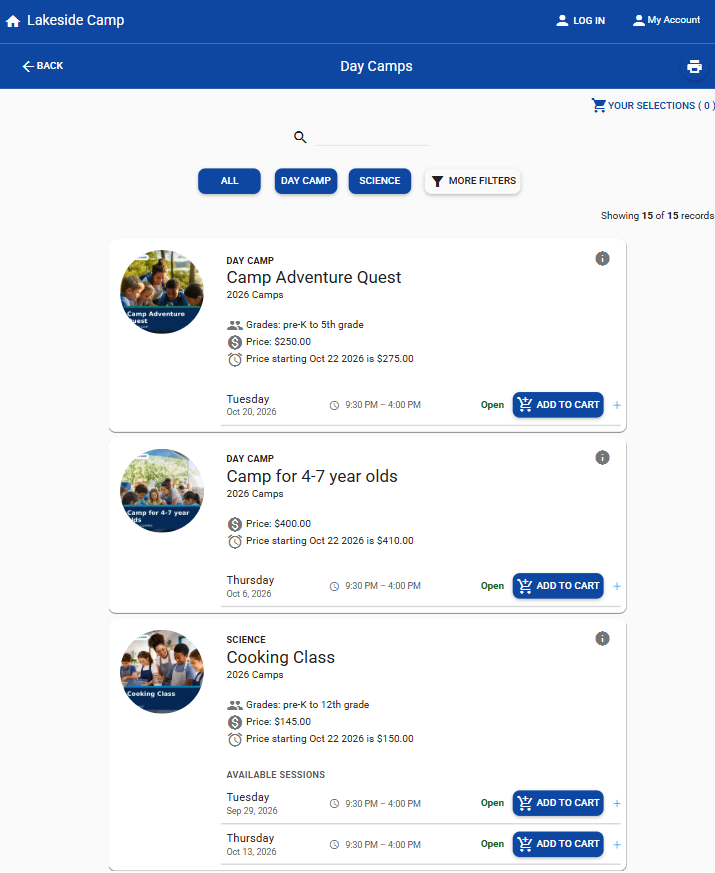
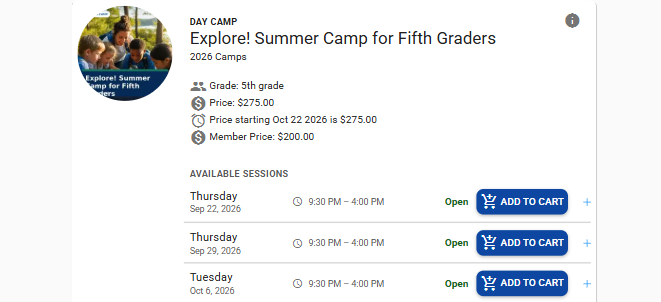
YOUR BRAND, FRONT AND CENTER
Customers can discover programs in a branded, mobile-first experience that feels connected to your organization.
A COMPLETE CUSTOMER EXPERIENCE
Cogran’s public-facing program tools can be as concise or as detailed as the offering requires. Optional information appears only when you use it.

Build clear listings that move from the program overview into the specific session a customer can choose.
Help customers narrow a broad catalog using the information already associated with programs and facilities.
Filters appear when the corresponding information is part of the program or location setup.
Let customers browse according to where and when an activity happens—not only by its name.
Programs do not have to live in isolation from the other things your organization offers.
REGISTRATION PERIODS
Registration periods—whether you call them seasons, terms, or sessions—group related offerings around shared opening and closing dates.
Programs within the period can inherit shared registration dates, reducing repeat entry and helping your team avoid inconsistent openings or closings. The grouping also supports bulk communications and reporting. When the next season arrives, copy the setup and adjust what changed.
Illustrative setup; your dates and structure will be your own.
SESSIONS DO THE DETAILED WORK
A session can carry the schedule, capacity, eligibility, location, instructor, and enrollment controls that make one program different from another.
Set start and end dates, days of the week, times, number of meetings, blackout dates, and program-specific registration overrides.
Use age or grade ranges, cutoff dates, membership, and other rules.
Set available places and choose waitlist or lottery workflows for limited enrollment.
Assign locations, instructors, facilities, and the questions staff need later.
Offer full payment, deposits, installment plans, member or resident rates, sibling and household discounts, early pricing, coupons, sponsorship codes, and applicable late fees.
FLEXIBLE PRICING & PAYMENTS
A week of camp may require a deposit. A class may offer member pricing. A family may use a sibling discount or sponsorship code.
Cogran lets you configure the choices that apply to each offering and present the relevant price and payment details to the customer before checkout.

ILLUSTRATIVE CONFIGURATION
A single program with its own enrollment and payment rules.
Your programs, requirements, dates, and prices will be your own.
WHEN PLACES ARE LIMITED
Set capacity before registration opens, then use a waitlist or lottery when demand needs a more deliberate process.
Set the number of available places and control the size of the waitlist. When space becomes available, your team has a clear list of interested participants to work from.
Collect entries during a set registration period. After that window closes, Cogran uses randomized assignments from the applicant pool.
A lottery selects from an applicant pool after a defined entry period. A waitlist manages continued interest after a program has reached capacity.
LET’S LOOK AT YOUR REGISTRATION
We’ll show you how Cogran can support the way your organization actually works.
GET THERE FASTER
Send people from an email, advertisement, QR code, or social post directly toward the program you are promoting.
The shopper does not have to search the entire catalog first. Cogran’s direct-to-checkout link creates a shorter path between a campaign and the selected offering.
USEFUL ANSWERS
Bring us the complicated part. A Cogran demo can focus on your actual registration rules and customer journey.
Yes. Each program and session can use the dates, eligibility, capacity, pricing, discounts, and payment options that apply to that offering.
Yes. Household accounts keep family members together while maintaining the registration details, forms, schedules, and payments associated with each participant.
Yes. A direct-to-checkout link can take a shopper from an email, advertisement, QR code, or social post to the selected program’s checkout path.
Yes. Registration periods group related offerings and can be copied to reduce repeated setup for a future season.
A lottery collects entries during a defined window and uses randomized assignments after that window closes. A waitlist organizes continued interest after a program reaches capacity so staff can fill spaces that later become available.
Yes. Listings display the details supplied for that offering, such as dates, locations, eligibility, discounts, maps, and payment options. Optional information does not need to appear on every program.
Absolutely. Share your eligibility rules, pricing, enrollment process, capacity requirements, or payment arrangements, and we’ll focus the personalized demo on those workflows.