Programs & demand
Review three years of registration history, session activity, and planned capacity alongside registrations and waitlists.

REPORTS, CHARTS & INSIGHTS
Know who’s coming today. Understand what’s changing. Give your team the information to plan the next good thing.
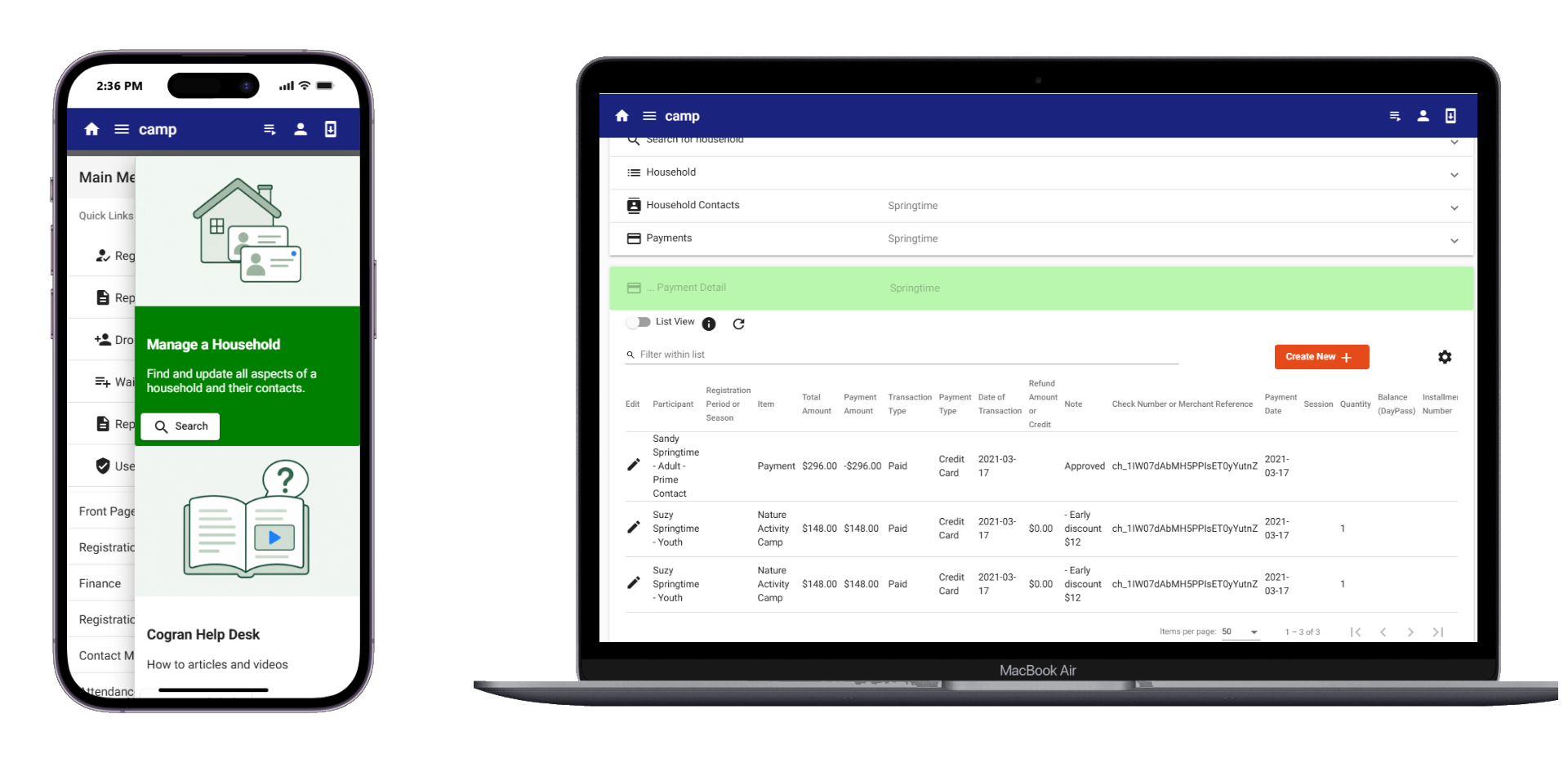
HELP YOUR STAFF START READY
Pull a roster. Check today’s arrivals. Follow up on an unfinished registration.
Track programs by season, age, or other categories. Review attendance, household and member information, payment status, and facility bookings without rebuilding the list each time.
Filter by date, name, or status. Pin or hide columns, export all or selected records, and turn a report into a mailing list.
SEE THE PATTERN
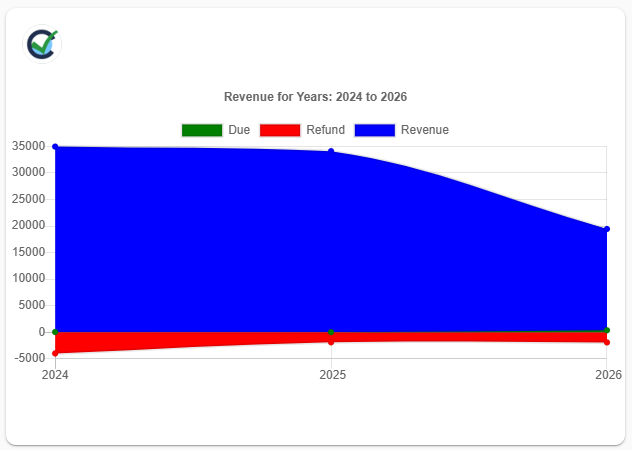
Compare registration activity, financial trends, and facility use in dynamic chart views. Show or hide series to focus on what matters.
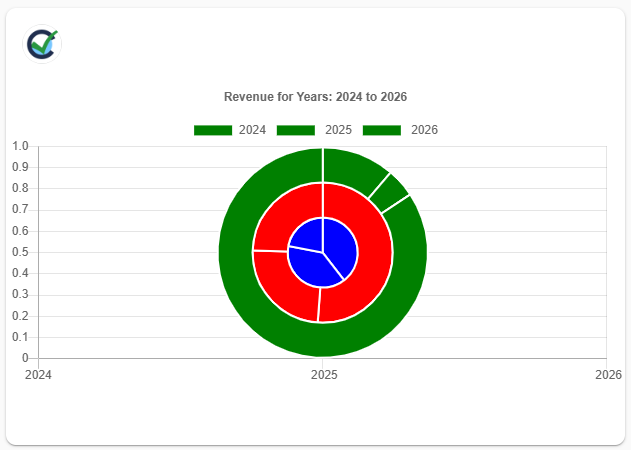
Review three years of registration history, session activity, and planned capacity alongside registrations and waitlists.
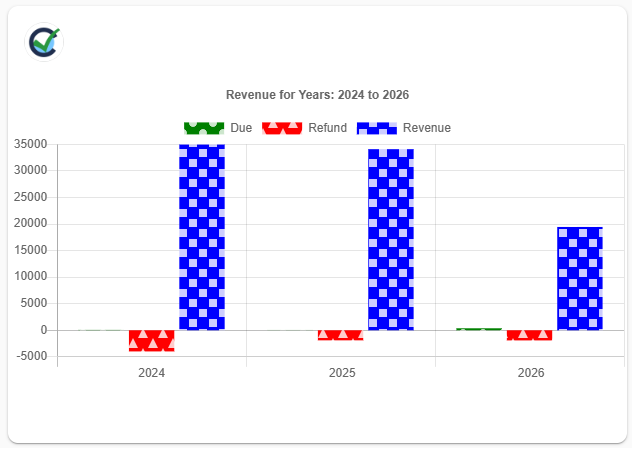
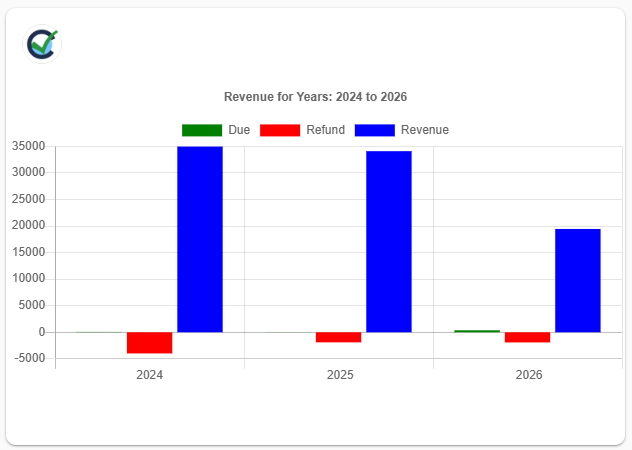
Compare revenue, refunds, and amounts due across the past three years.
View facility use by month, or compare three previous years with the coming year’s bookings.
Patterned chart fills help distinguish series without relying on color alone.
FOR THE BOARD MEETING. THE GRANT REPORT. THE NEXT PLAN.
Bring together the figures that describe your activity and resources. Set a consistent reporting period and program scope, then export the records that support your report.
Registrations, attendance, household information, and participant demographics.
Membership trends, volunteer activity, and hours contributed.
Daily usage, reservation status, and monthly or annual trends.
Revenue, balances, donor history, and campaign results.
Choose the fields and measures that match your funder’s requirements or your board’s questions.
THE DETAILS ARE HERE, TOO
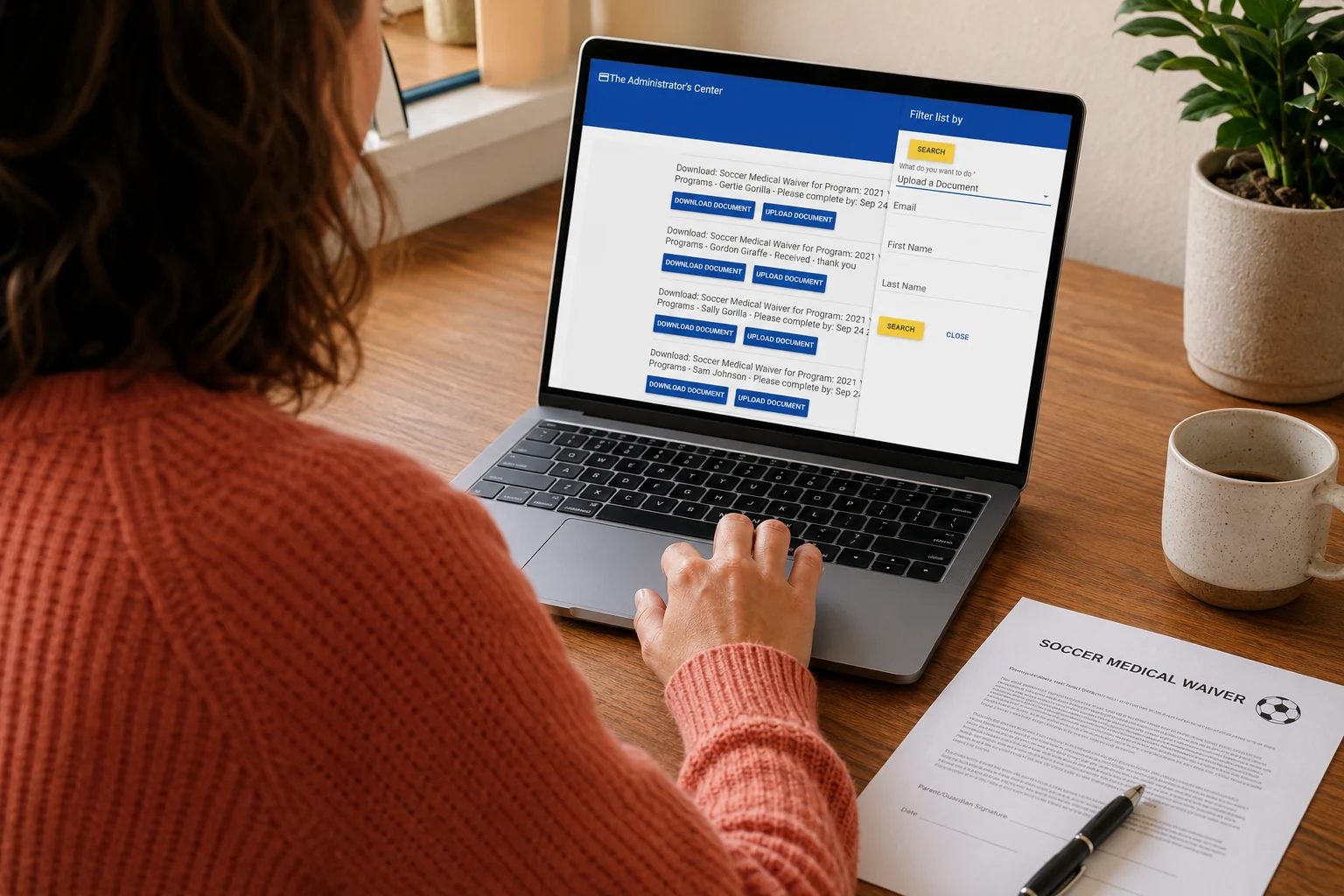
Rosters, attendance, personal information, medical and pickup details, team or group records, member profiles, and payments by person or household. Sports reports include players, coaches, teams, schedules, scores, and participation.
Daily usage; daily, weekly, and monthly Gantt-style calendars; reservation status and booking conflicts; print-friendly setup information; payment details; and revenue.
Income by program, season, and session; payment status, aging, and installments; coupon values and usage; transaction histories; daily payments by account code or operator; cash drawer totals; and closeout and reconciliation reports. Financial exports support transfer into bookkeeping systems, including double-entry reporting formats.
Contribution and donor history, campaign performance, membership trends, engagement, and volunteer hours. Export supporting data for donor records, receipt preparation, and targeted outreach.
Explore donations & giving ↗GOOD QUESTIONS
Yes. Use reports and exports to gather the participation, attendance, financial, donor, or facility-use figures relevant to a grant report. Choose the period, filters, and fields that match the funder’s requirements, then assemble the submission from those records.
Yes. Filter reports, hide or pin columns, and export the full list or selected content. Reports can also be used as mailing lists for follow-up.
Yes. Cogran includes multi-year registration and financial chart views, as well as facility-use views by month and year. Donation reporting also supports year-over-year fundraising comparisons.
LET’S TALK ABOUT YOUR ORGANIZATION
Show us the reports you use today, the metrics you need to track, and the grant or board reporting you prepare. We’ll walk through the relevant Cogran views and exports.
Schedule Your Personalized DemoPersonal guidance, training, and support from the Cogran team.